
Google AI Overviews: keeping your WordPress site visible
Key Takeaways
- Google AI Overviews appeared on 83.77% of US searches Advanced Web Ranking tracked in the week to 16 November 2026 (at the time of writing, checked 16 November 2026), making visibility in these summaries important for most SEO work.
- Your content must be indexed and eligible for a snippet under Google Search Essentials to qualify; Google says there are no additional requirements.
- AI Overviews reached 2.5 billion monthly active users, but traffic to linked websites dropped when summaries answered queries fully-focus on being cited as a source, not just appearing in results.
What are Google AI Overviews?
Google AI Overviews are AI-generated snapshots that appear at the top of some Google Search results, accompanied by links to relevant web pages. They allow users to explore source material directly while receiving a quick synthesized answer to their query. According to Google, no additional requirements or special optimizations are needed to appear in them beyond standard SEO best practices.
Google AI Overviews at a glance
| Item | What Google documents |
|---|---|
| What it is | AI-generated snapshot with supporting links, shown on some search queries |
| Who it affects | Any site indexed in Google Search |
| Requirements to be shown as a supporting link | Page must be indexed and eligible to be shown with a snippet; no additional technical requirements |
| How to opt a page out | Use nosnippet, data-nosnippet, max-snippet, or noindex robots controls |
| Where traffic is reported | Search Console Performance report under “Web” search type, counted with other Search traffic |
| Reach | Over 2.5 billion monthly users (Google I/O keynote, 19 May 2026) |
| Related features | AI Mode, featured snippets |
Why This Matters
Google AI Overviews are reshaping how search results appear and how websites get traffic. Understanding Google AI Overviews is critical for anyone managing a website or running an SEO strategy. According to Google, AI Overviews have more than 2.5 billion monthly active users (at the time of writing, checked 19 May 2026). The stakes are high because these summaries appear at the very top of search results, often before traditional blue links.
The visibility shift is dramatic. Advanced Web Ranking reported that 83.77% of the US searches it tracks showed an AI Overview in the week to 16 November 2026. For WordPress site owners and agencies, this means the old playbook for ranking in Google no longer covers the full picture. You compete not just for positions one through ten, but for inclusion in the AI-generated summary itself.
The business impact extends beyond visibility. In a July 2025 study, Pew Research Center found that users clicked a traditional search result on only 8% of visits that included an AI summary, compared to 15% of visits without one. That is a drop of nearly half. For content sites, publishers, and e-commerce businesses relying on organic search traffic, the difference is material. Your content may rank well, but if Google’s AI summary answers the question completely, visitors may never click through to your page.
The challenge cuts both ways. Appearing in an AI Overview can drive authority and brand awareness, even without a click. Your site gets cited at the top of Google Search, reaching millions of users. However, the summary may cannibalize clicks to your site. The key is understanding how to make your content eligible for inclusion and how to structure it so that visitors still want to learn more on your domain.
WordPress sites face a unique consideration. Most WordPress owners use standard SEO plugins like Yoast SEO or Rank Math, which were designed before AI Overviews became widespread. You need to focus on structured data, snippet optimization, and content clarity that works for both human readers and AI extraction.
The timeline matters. According to Ahrefs data cited by OmniSEO, AI Overviews appeared on 73.3% of branded and 78.3% of non-branded US desktop keyword SERPs in September 2026. This is the default Google Search experience for most queries. Ignoring it means leaving traffic and authority on the table.
Understanding Google AI Overviews
AI Overviews is a generative artificial intelligence feature integrated into Google Search that displays AI-generated responses at the top of search results. These summaries pull information from multiple sources and present it in a concise format before traditional search results appear. The feature aims to answer user questions directly without requiring clicks to external sites. Understanding what AI Overviews are and how they work is essential for anyone managing website content or running an SEO strategy.
Google AI Overviews have grown dramatically across search results. This growth means your content competes not just with traditional search rankings but with AI-generated summaries that can pull traffic away from clickable links. Google reports that AI Overviews have more than 2.5 billion monthly active users (at the time of writing, checked 19 May 2026), making visibility in these summaries critical for organic traffic.
The impact on user behavior is measurable. Pew Research Center found in July 2025 that users clicked a traditional result on 8% of visits with an AI summary versus 15% without one. This represents a significant shift in how people consume search results.
AI Overviews appear on different types of searches:
- Informational queries seeking quick answers (“what is”, “how to”, “why does”)
- Comparison queries asking for multiple options or perspectives
- Definitional queries requesting explanations of terms or concepts
- Local searches combining location data with general information
- Product and service queries showing multiple vendor options
The shift toward AI Overviews reflects how Google Search itself is evolving. Rather than viewing AI Overviews as a threat, smart SEO strategy treats them as an opportunity to establish topical authority and earn featured placement.
What Google says it takes to appear in AI Overviews
Google states there are no additional requirements beyond standard SEO to appear in AI Overviews or AI Mode. The best practices that help your site rank in traditional search results are the same practices that make your content eligible for AI features. This means you don’t need special optimizations or new strategies-focus on the fundamentals.
Eligibility: indexed and snippet-eligible
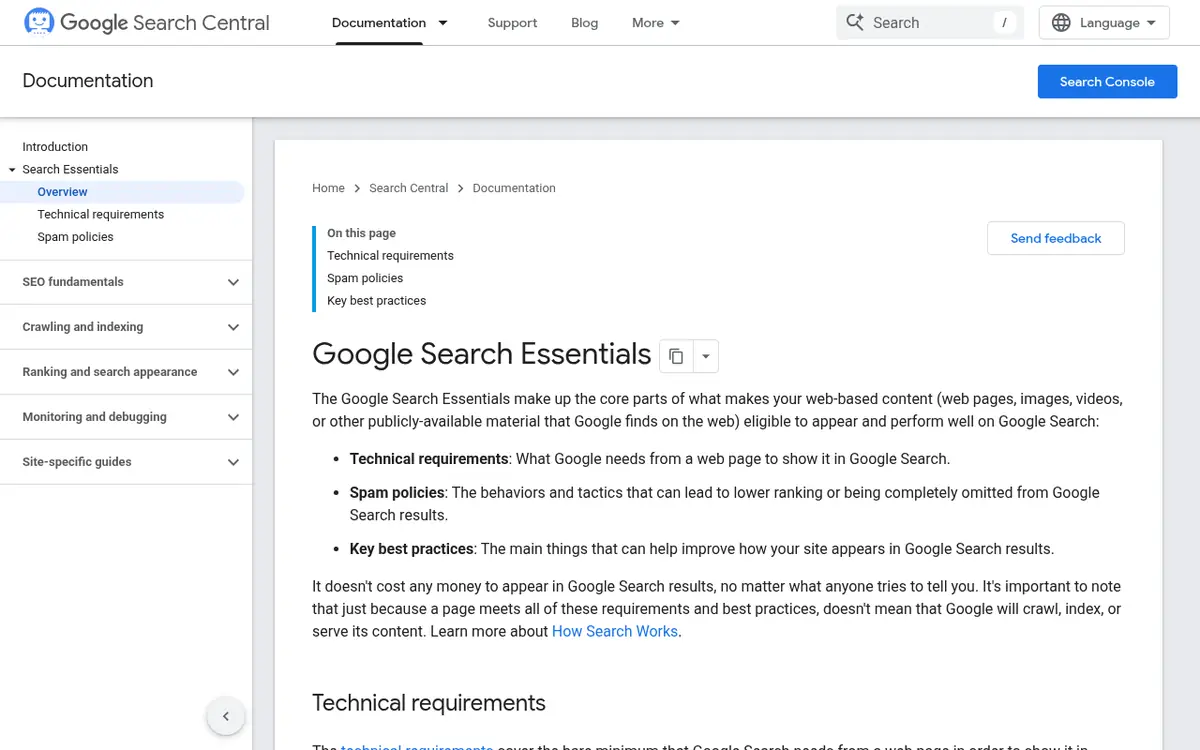
For your page to appear as a supporting link in AI Overviews, Google must be able to index it and show it in regular search results with a snippet. This requires meeting Google’s standard Search technical requirements.
However, meeting these requirements doesn’t guarantee Google will crawl, index, or serve your page. Eligibility is necessary but not sufficient.
The SEO basics Google lists
Google recommends these practices to help your content appear in AI features:
- Allow crawling in your
robots.txtfile and by your CDN or hosting infrastructure - Make content easy to find through internal linking
- Provide a good page experience
- Make important content available in text form
- Support content with high-quality images and videos
- Ensure structured data matches your visible content
These are the same fundamentals that have always mattered for SEO.
Controls and measurement
If you want to limit what Google shows from your pages in Search results, use these directives:
nosnippetdata-nosnippetmax-snippetnoindex
Note that Google-Extended controls use in some of Google’s other AI systems, not Search or AI Overviews.
Traffic from AI Overview results appears in your Search Console Performance report under the “Web” search type, so you can measure performance alongside traditional search clicks. Google says that clicks from results pages with AI Overviews tend to be higher quality, with users spending more time on sites they visit.
How to make your pages eligible for Google AI Overviews (6 methods)
Google AI Overviews can display your content to millions of users. To improve your chances of eligibility, ensure Googlebot can access your pages, remove snippet restrictions, and structure your content clearly.
1. Confirm Googlebot can crawl the page
Google cannot include your content in AI Overviews if it cannot access your pages. Start by verifying that your robots.txt file does not block Googlebot from the URL. Next, check whether your CDN, firewall, or security plugin is blocking Google’s crawler. Finally, use Search Console’s URL Inspection tool to confirm the page is indexed.
- Check your robots.txt file for disallow rules affecting Googlebot:
curl -s https://example.com/robots.txt - Review your CDN, firewall, and security plugin settings to ensure Googlebot access is not restricted
- Open Search Console, enter the page URL in URL Inspection, and verify the page shows as indexed
2. Make sure the page can show a snippet
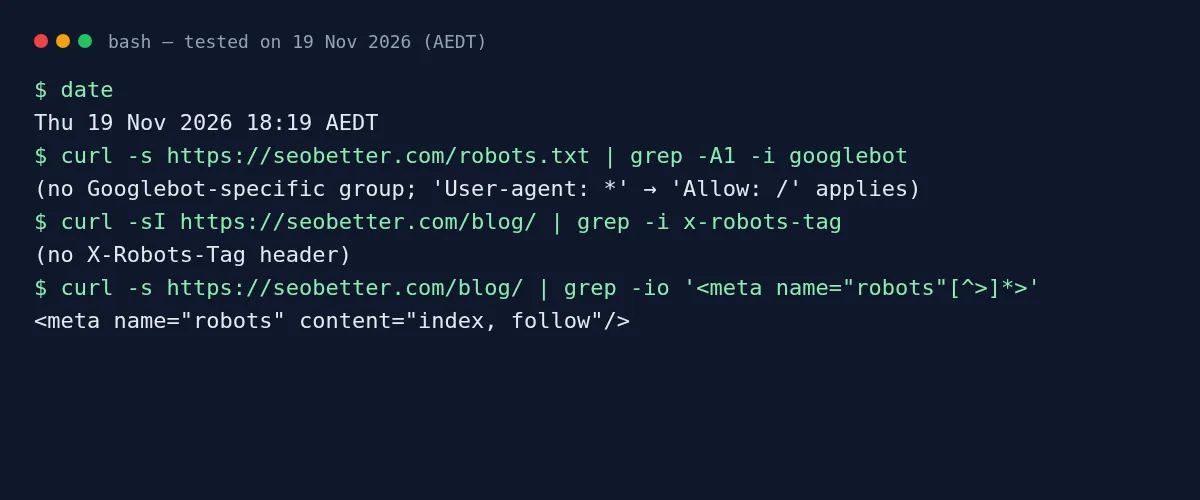
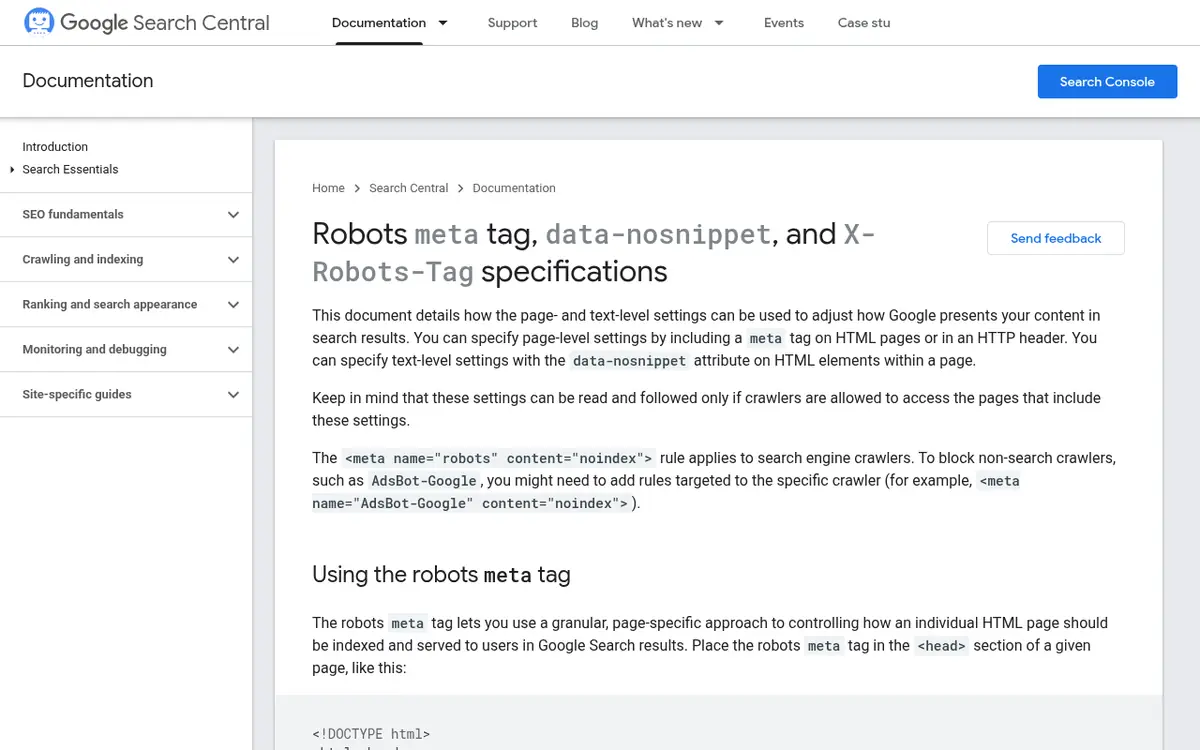
Pages with nosnippet or max-snippet:0 directives cannot appear in AI Overviews. These restrictions prevent Google from displaying any excerpt of your content. Check both the meta robots tag and the X-Robots-Tag HTTP header for these values, as either can block snippets.
- Search your page HTML for robots meta tags containing nosnippet or max-snippet:0
- Check the X-Robots-Tag HTTP header:
curl -sI https://example.com/page/ | grep -i x-robots-tag - Look for data-nosnippet attributes on key passages that should appear in AI Overviews
- Remove or adjust these restrictions if they are blocking snippet display
3. Answer the question in plain text near the top
AI Overviews favor content that directly answers user questions. Place your core answer in the first 40-60 words under each heading. Keep important information as readable text rather than embedding it only in images. Use descriptive, semantic headings that clarify what each section covers.
- Write a direct answer to the main question in your opening paragraph
- Use clear headings that describe the content below
- Prioritize text over images for key information
4. Use structured data that matches the visible page
Structured data helps search engines understand your content better. Use JSON-LD format to mark up information that already appears on your page. Only mark up what visitors can actually see-do not add hidden structured data. After implementation, validate your markup with Google’s Rich Results Test and the Schema Markup Validator to catch errors early.
- Choose the appropriate schema type for your content (Article, Product, Review, etc.)
- Implement JSON-LD code in your page template or use a structured data plugin
- Test your markup with Google’s Rich Results Test and fix any validation errors
- Monitor performance in Google Search Console over time
Important note: Google retired the HowTo rich result in 2023 and ended FAQ rich results on 7 May 2026, removing the FAQ documentation in June 2026. At the time of writing (checked 25 November 2026), FAQ schema remains available but Google does not guarantee FAQ rich results in search results. Do not add these markup types expecting extra search features. Google does not require structured data for AI Overview eligibility, but clean, accurate markup supports overall content quality.
5. Keep internal links and page experience in good shape
Help Google discover and understand your page by linking to it from related posts and category hub pages. A well-connected page is easier for search engines to find and evaluate. Also prioritize page experience metrics-mobile usability and Core Web Vitals are part of the page experience Google recommends.
- Link to the page from 2-3 related posts and relevant category or topic hub pages
- Check Core Web Vitals in Google Search Console and fix any “Poor” ratings
- Test the page on a phone-sized screen with Lighthouse in Chrome DevTools and adjust the layout if needed
6. Measure AI Overview traffic in Search Console
AI Overviews and AI Mode traffic appear in the Performance report under the “Web” search type alongside regular search clicks. There is no separate AI Overviews filter. Track changes in clicks, impressions, and click-through rate over time, then cross-reference engagement metrics in Google Analytics to assess visit quality and user behavior.
- Open the Performance report in Google Search Console
- Compare clicks, impressions, and CTR month-over-month or quarter-over-quarter
- Link data to Google Analytics to review user engagement and behavior on landing pages
Our data: search demand for Google AI Overviews
| Keyword | US / month | UK / month | AU / month | Competition | US CPC |
|---|---|---|---|---|---|
| google ai overviews | 18,100 | 1,300 | 1,000 | LOW | $10.31 |
| how to rank in google ai overviews | 110 | 20 | 10 | LOW | $8.55 |
| how to show up in ai overviews | 40 | not measured | not measured | LOW | $19.06 |
| how to get cited in google ai overviews | no data | no data | no data | – | – |
Source: DataForSEO Google Ads search volume (standard queue), measured 11-13 November 2026 and cached by SEOBetter. “No data” means Google Ads returned no volume.
Common Problems and Solutions
Website owners and SEO professionals face real obstacles when trying to get content into google ai overviews. Understanding these barriers and how to fix them helps you stay visible in search results. This section covers the most common issues and practical steps to address them.
Your Content Isn’t Being Selected
Google’s AI system pulls from multiple sources to build an overview. The algorithm favors authoritative, well-structured content that directly answers the user’s question.
Start by auditing your current rankings. Use Google Search Console to see which queries bring traffic to your site. If you rank in positions 6-10, you need to improve on-page SEO first. Focus on:
- Matching search intent exactly. If the query asks “how to,” your page should have clear steps.
- Adding structured data markup. Schema helps Google understand your content faster.
- Removing thin or duplicate content that competes with your own pages.
Your Snippets Are Being Misrepresented
Sometimes Google pulls your content into an overview but frames it incorrectly. The AI might combine your information with competitors’ data in a way that confuses your message or dilutes your brand voice.
Use the nosnippet meta tag if a specific page shouldn’t contribute to overviews. Add this to your page’s <head>:
<meta name="googlebot" content="nosnippet">However, blocking snippets means losing overview visibility entirely. A better approach is to rewrite your content for clarity. Use short paragraphs, numbered lists, and bold topic sentences. Make it harder for the AI to misinterpret your meaning.
Traffic Is Declining From Search
Some site owners report lower click-through rates after google ai overviews expanded. When users get answers directly on the search results page, they click less often. This is real. According to Pew Research Center data from July 2025, users clicked a traditional result on 8% of visits with an overview versus 15% without.
The solution is not to block overviews but to improve for them. Make your content the source Google cites. Focus on becoming the most authoritative source for your topic, not on hiding from AI.
Structured Data Isn’t Being Recognized
Audit your schema using Google’s Rich Results Test. Check for:
- Article schema for news and long-form content
- Product schema if you sell items
Your Page Lacks Authority Signals
Building authority takes time, but you can accelerate it by:
- Earning links from relevant, high-authority sites
- Publishing consistently on your topic
- Getting mentioned by industry publications
- Building a recognizable author or brand presence
Though newer sites face a disadvantage, they are not permanently excluded. Sustained quality content and link building work over months.
Quick Comparison Table
Summary
Google emphasizes that no special requirements exist for AI Overviews beyond standard SEO best practices. Your pages must be indexed and eligible for snippets to appear in AI Overviews. Focus on four key areas: ensure proper crawling and indexing, configure your snippet controls correctly, provide clear, direct answers to common questions, and maintain matching structured data that aligns with your content.
Monitor your performance using Search Console’s Web search type to track Search traffic, which includes clicks and impressions from AI Overviews, and measure any changes.
Optimize with the Right Tools
The free SEOBetter plugin helps you audit your WordPress site systematically. It assigns each post a 0-100 GEO score and provides a prioritized fix list so you know exactly what to improve first. The plugin also includes an AI crawler access audit, letting you verify that named AI crawlers can reach your content.
The free SEOBetter plugin works seamlessly alongside Yoast or Rank Math, so you can integrate it into your existing SEO workflow without conflicts.
Frequently Asked Questions
What exactly are Google AI Overviews?
AI Overviews is a generative artificial intelligence feature integrated into Google Search that displays AI-generated responses at the top of search results. According to Google, AI Overviews have more than 2.5 billion monthly active users (at the time of writing, checked 19 May 2026). These summaries pull information from multiple web sources and present a synthesized answer before traditional search results appear. The feature aims to save users time by providing instant answers without requiring them to click through to individual websites. Google rolled out this feature gradually across different regions and query types throughout 2024 and 2025.
How do I get my website to show up in Google AI Overviews?
To rank in Google AI Overviews, your page must be indexed and eligible to be shown in Google Search with a snippet; Google says there are no additional requirements. Focus on creating full, well-structured content that directly answers user questions. Use clear headings, bullet points, and data-backed statements. Ensure your site follows Google Search Essentials and has proper structured data markup. High-quality, authoritative content with cited sources is more likely to be selected for AI Overview inclusion than thin or duplicate content.
Do Google AI Overviews hurt website traffic?
Yes, AI Overviews can reduce click-through rates to traditional search results. Research from Pew Research Center in 2025 found that users clicked a traditional result on 8% of visits with an AI summary versus 15% without one. However, Reddit’s traffic dropped 13% partly due to AI Overviews, suggesting the impact varies by content type. Some websites still benefit from AI Overview appearances because they drive qualified traffic and establish authority, even with lower overall click rates.
Can I prevent my site from appearing in Google AI Overviews?
Yes, you can use the nosnippet meta tag to block Google from using your content in AI Overviews. Add <meta name="robots" content="nosnippet"> to your page’s HTML head section. According to Google’s robots meta tag documentation, this directive tells Google not to display snippets of your pages in search results or AI features. However, blocking AI Overviews also prevents your content from appearing in traditional search snippets, which typically hurts visibility. Most SEO professionals recommend keeping the nosnippet tag off unless you have specific legal or privacy concerns about content reuse.
What percentage of Google searches show AI Overviews?
In the week to 16 November 2026, Advanced Web Ranking reported AI Overviews on 83.77% of the US searches it tracks. Ahrefs data showed AI Overviews on 73.3% of branded and 78.3% of non-branded US desktop keyword SERPs in September 2026. The rollout has accelerated since the feature’s initial launch in 2024. This widespread adoption means most website owners should improve their content with AI Overviews in mind as part of their SEO strategy.
References
- AI features and your website – Google Search Central, last updated 10 December 2025
- Google Search Essentials – Google Search Central
- Robots meta tag, data-nosnippet and X-Robots-Tag specifications – Google Search Central
- Changes to HowTo and FAQ rich results – Google Search Central Blog, August 2023
- Google I/O 2026: Sundar Pichai’s opening keynote – Google, 19 May 2026
- Google users are less likely to click on links when an AI summary appears in the results – Pew Research Center, 22 July 2025
- Google AI Overviews stats (weekly tracker) – Advanced Web Ranking, week to 16 November 2026
- Google AI Overviews Statistics (2026) – OmniSEO, 22 October 2026, citing Ahrefs
- Reddit’s traffic is down 13%, partly thanks to AI Overviews – Business Insider, November 2026
- AI Overviews – Wikipedia